
Closed beta · Now taking applications

Teleprompter for live events.

Rotulus is teleprompter software for live events. It imports the client's Word or PDF script, runs it on a black display, and keeps a backup machine in sync.

Now inviting working prompter operators who live in the US to the closed beta, from November 2026 through December 31, 2026, unless we announce an extension here. Testers who run one real show or full rehearsal and join a feedback call of about 20 minutes get a free 12-month Tester License. See pricing for licenses.

  • Windows now; macOS coming
  • Your scripts stay with you
  • No ads, analytics or tracking in the app
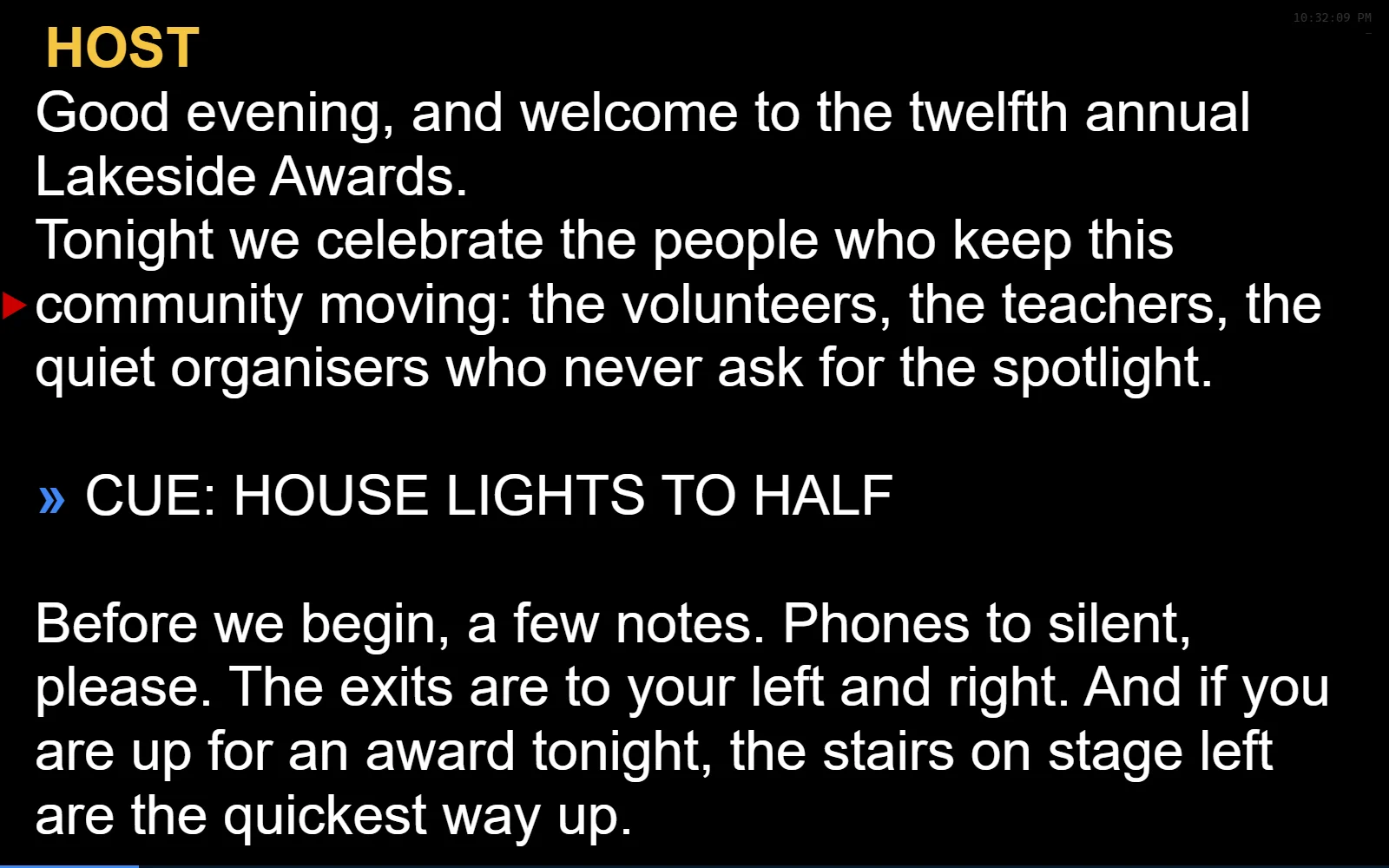
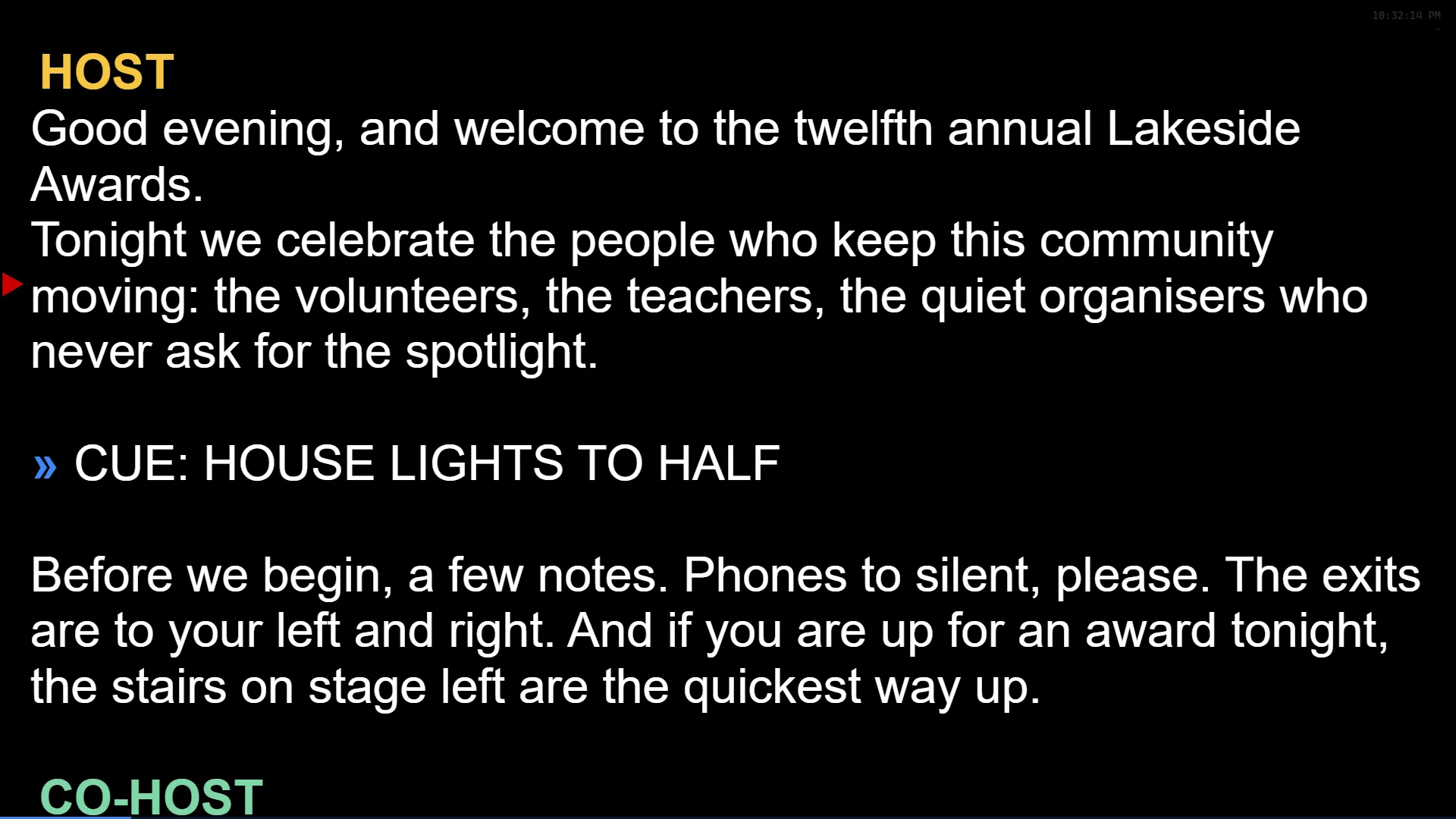
The show display: white script text on black with the guide arrow at the reading line
The operator window in edit mode with the runlist open and a script with speaker chips and cue markers

Import

Bring the client's script in with its formatting.

Word and PDF documents arrive with their sizes, colors, bold and italics carried over. A PDF is rebuilt from its page layout, so check the result. Styles that live on Word's paragraph styles are resolved too, so the whole script sizes together on the slider. Text boxes come through; footnotes, endnotes and comments are counted and reported. Pictures are not imported.

RTF, plain text and Rotulus's own files open the same way. Insert a second file at the caret when a late page arrives.
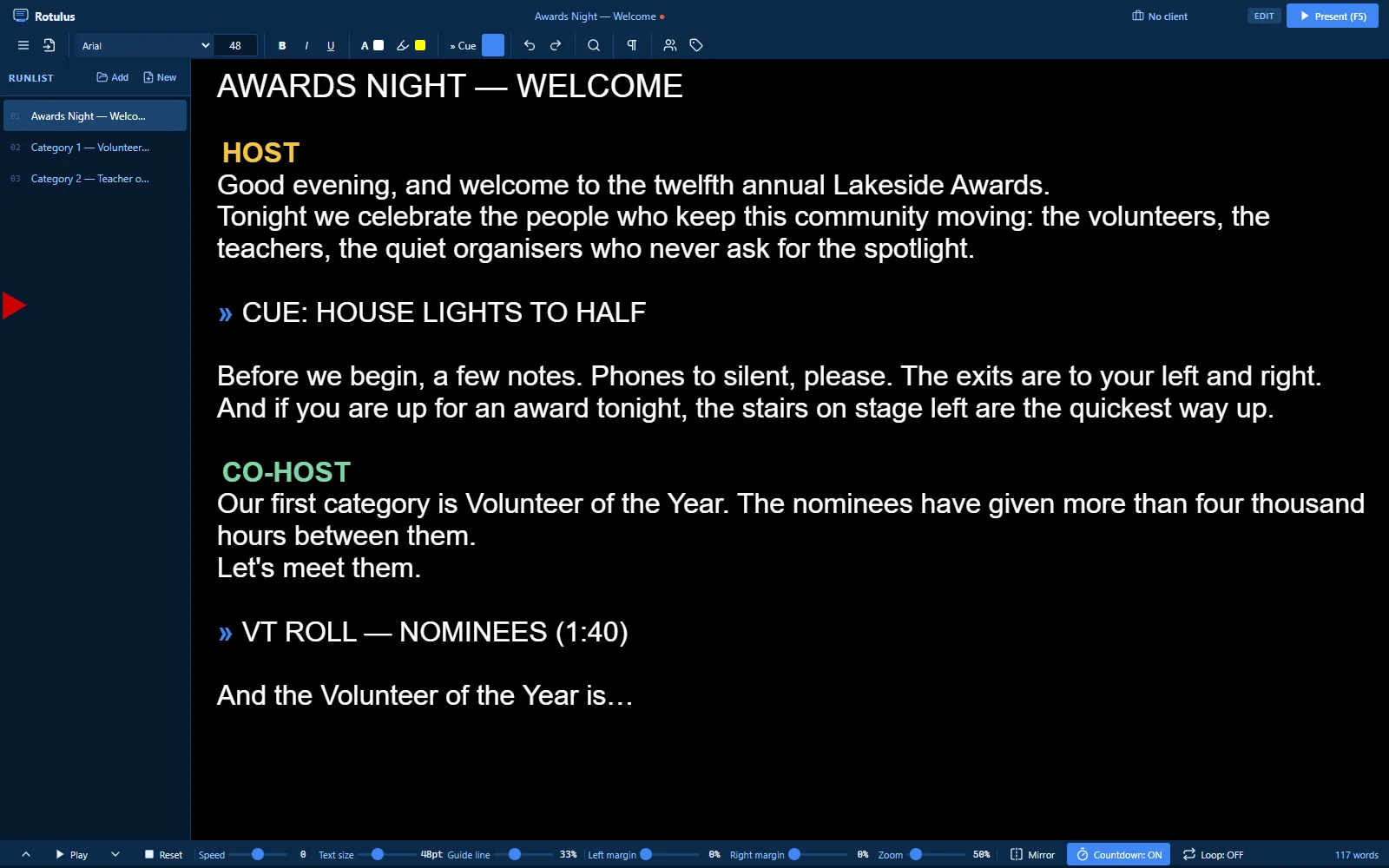
A script imported from Word shown in the Rotulus editor

Present

A clean show display, and an operator view beside it.

Press F5 and the script fills a black screen with a guide arrow at the reading line. With a second display, the show goes there and the operator keeps the editor, the runlist and the transport on the laptop.

  • Mirror mode for beam-splitter glass
  • Screen Black on one shortcut, clock and time-remaining overlays
  • Display Check warns about cloned screens, 24 Hz outputs and battery power before the show
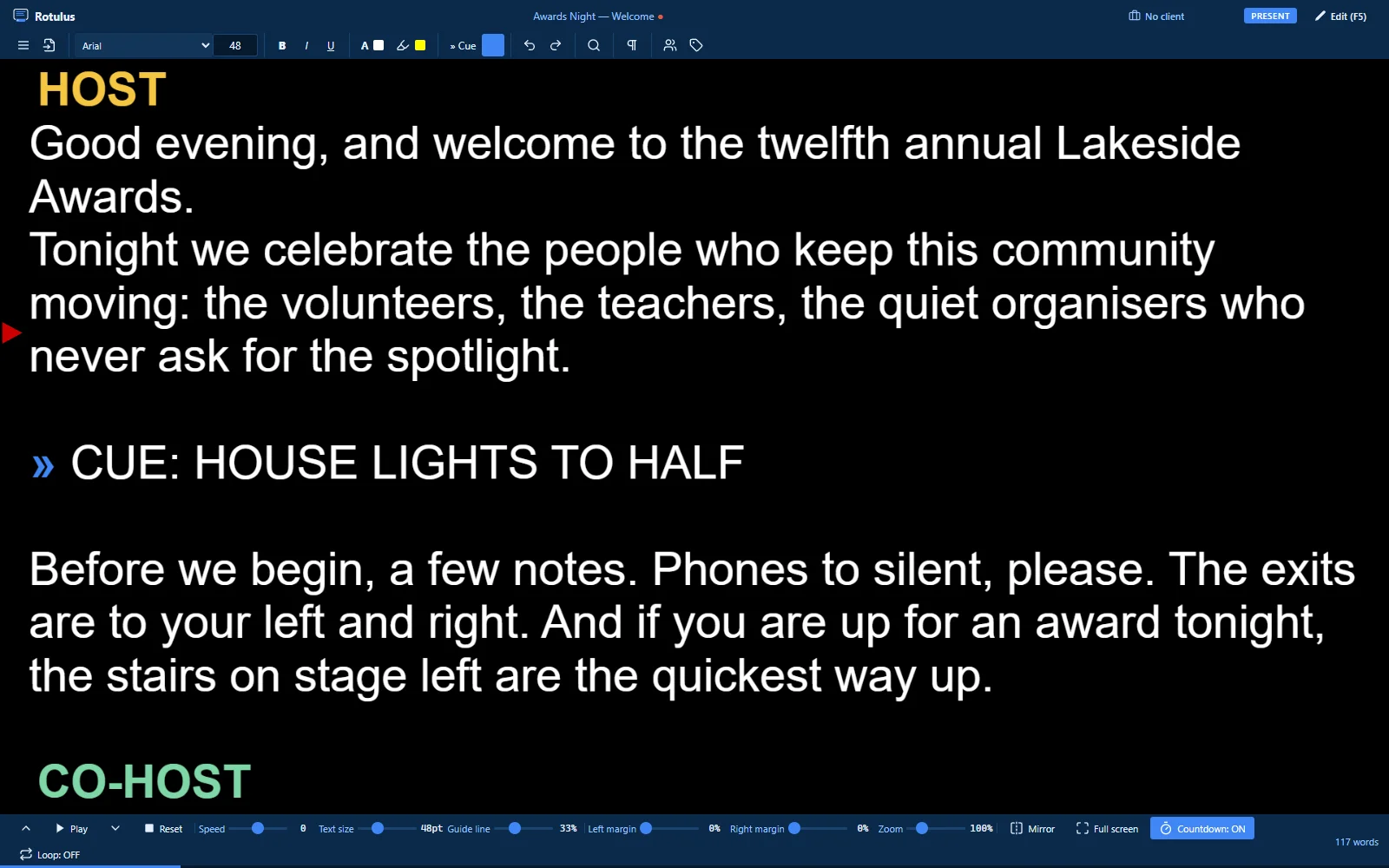
The operator view: the editor and transport on the laptop while the show display shows the script

Show Sync

A second laptop that follows the first.

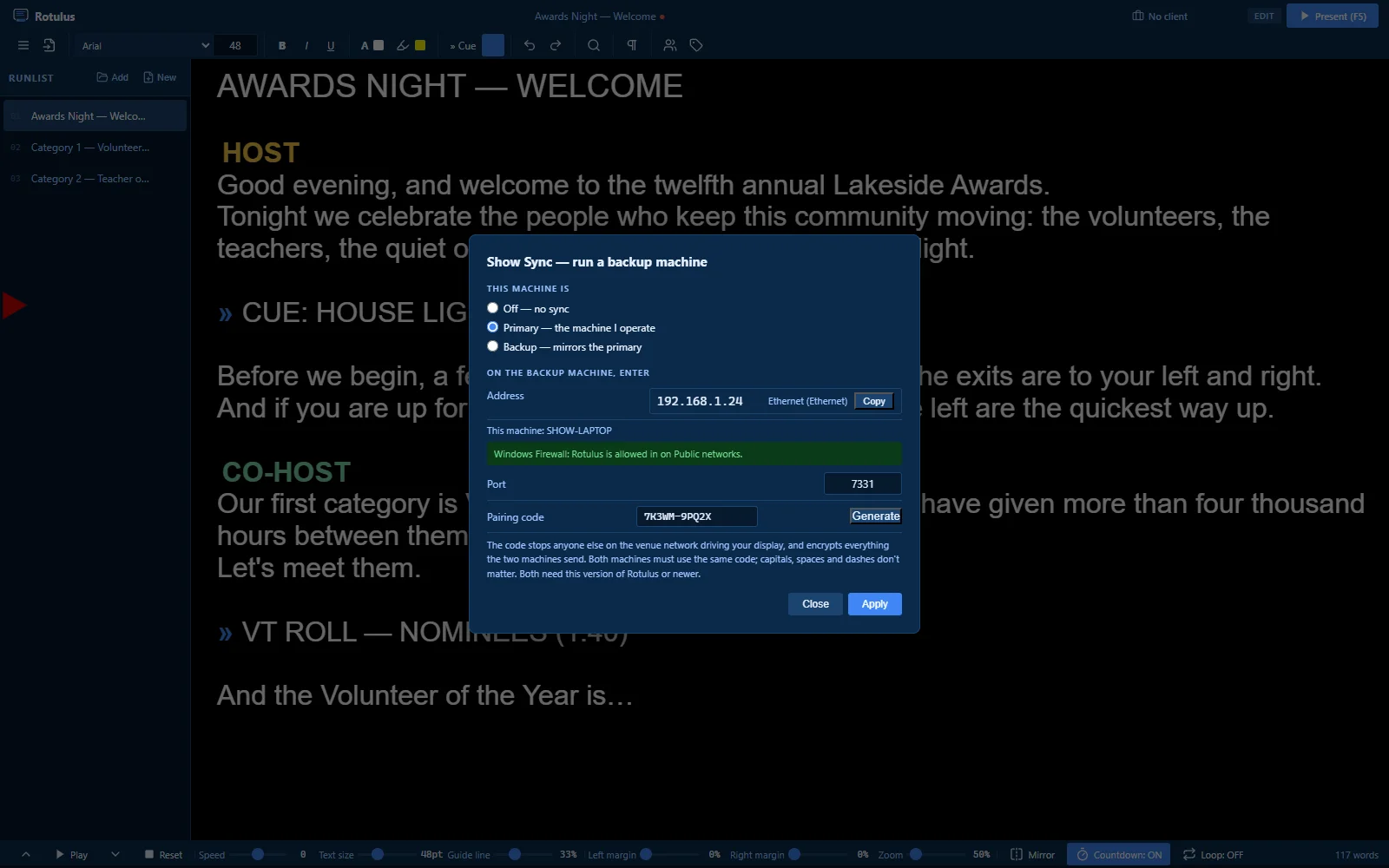
Pair two machines with a code over an Ethernet cable or Wi-Fi. The backup follows the script, the speed and the position. If the primary dies, the backup is already on the same line at the same speed, and one key makes it the operator's machine.

The link is encrypted with a key made from the pairing code, and the backup won't take a push that would overwrite its own unsaved edits unless you force it.

The primary machine in present mode
The Show Sync window on the primary: the address and pairing code the backup enters

Control

Drive it with what is already in the room.

Play, pause and speed live on the keyboard and the transport bar. The mouse wheel scrubs when paused and trims the speed when playing; middle-click engages a steady autoscroll.

Plug in a game controller: the triggers set the speed (or drive it only while held, if you prefer), the stick scrubs, and holding a button blacks the screen. Play, pause, speed and position are followed by the display and the backup.

Keyboard
F5 · F6 · F7–F9
Wheel scrub
Middle-click autoscroll
Game controller
Triggers and stick

Runlist & editing

Every script for the night in one list.

Load the whole show into the runlist, reorder it by drag, save it as one file and reopen it on the show laptop. Bookmarks mark cues you can jump to with a key; speaker names become colored chips; Find & Replace and Format Script tidy a client's document in seconds.

Each save first copies the file it replaces into a backups folder, and auto-save snapshots your runlist so the Recover window can offer it after a crash. A failed save is reported beside the file name, and an import note counts any footnotes, endnotes or comments left behind.

The editor with the runlist open: three scripts for the night, speaker chips and cue markers

See every feature

Built for the show, not for the cloud.

  • Your scripts stay with youYour scripts stay on your machine, there is no account to sign in to, and Rotulus has no feature designed to send your scripts to us
  • Encrypted Show Sync between two machinesOver a cable or your own Wi-Fi
  • 2 computers at a time per License KeyA primary and a backup, as it should be

Get started in 3… 2… 1

Apply for the beta
Illustration: a download arrow above a laptop

1. Join the beta

Windows now; macOS coming. Apply for the closed beta; testers get the installer and install notes by email.

Illustration: a document page turning into a prompter script

2. Import the script

Open the client's Word or PDF file. Set the size, mark the cues, add the speakers. Save it as a runlist with the rest of the night.

Illustration: a prompter screen with the F5 key

3. Press F5

The script goes to the show display. Play, pause and speed are on the keyboard, the wheel or a controller. Escape brings you back.

Help shape Rotulus on your next show.

We're inviting working prompter operators who live in the US to a closed beta. Run Rotulus on real shows, tell us what breaks, and get a free Tester License when you finish. Licenses are coming soon — see pricing.